






If you’re wondering, how to track your driving licence application status? You’re not alone, It is quite common for applicants to ask when they could finally have their much-anticipated driving license. New modes of modern technology have made it so easy, fast, and painless that going to the RTO or even making a phone call won’t be a necessity anymore.
Just check your driving license status online while relaxing at home. This blog will guide you in a do-it-yourself fashion on how to track your driving licence check status online through a Parivahan website or the local state transport portal.
How to Check Your Driving Licence Application Status Online
In India, it is easy and quick to search Driving licence application status online. Just do the following simple steps to monitor your application and the status of the application.
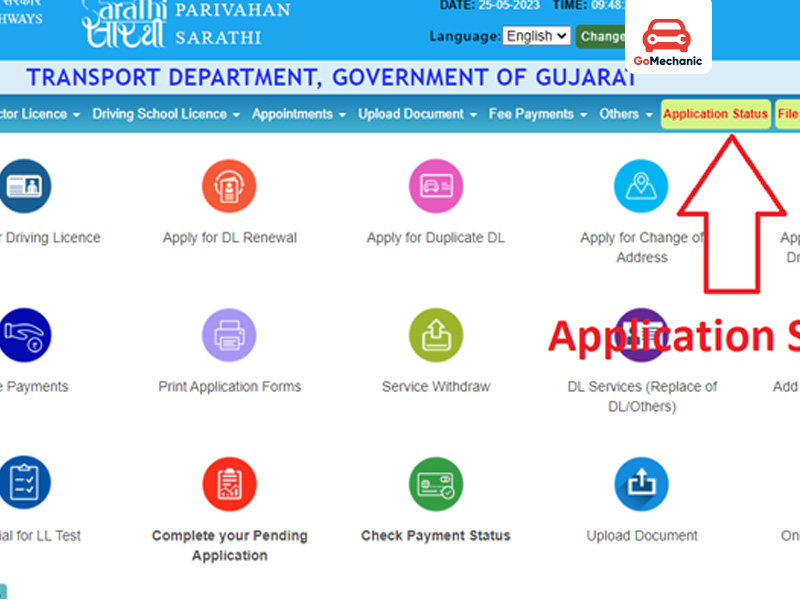
Steps to Check Your Driving Licence Application Status:
Visit the Official Parivahan Website – https://parivahan.gov.in.
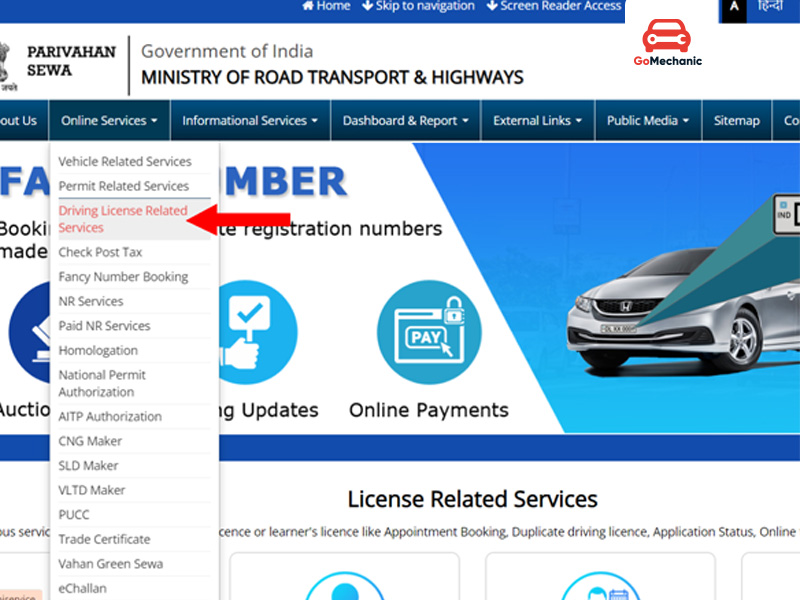
Navigate to Online Services
Clicking the “Online Services” tab on the homepage. That will provide access to a list of services such as vehicle management, such as electric, autonomous, professional driver assistance, advanced driver assistance systems and transport services.
Select Driving Licence Services
Select “Driving License-Related Services” from Online Services to proceed.
Choose Your State
In the following frame, select your state by clicking on a popover menu. This ensures you’re directed to the appropriate regional page to check status for driving licence .
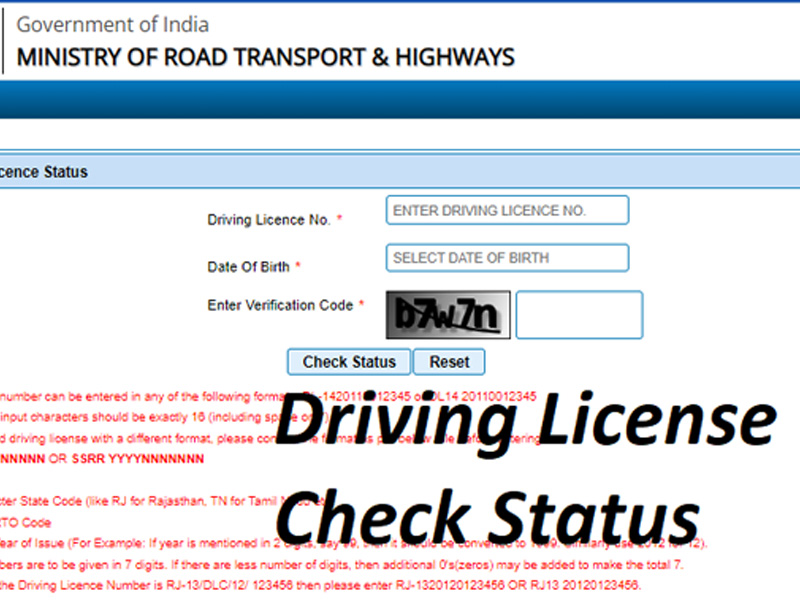
Check Driving Licence Status
After selecting your state, you’ll see several options. Click on “Check status for driving licence ” to begin.
Enter Your Details
To inquire about the status, please enter your Driving Licence/ID number and Date of birth in the respective fields. Just input the captcha code correctly for validation.
Submit Your Information
After filling in all necessary information, click on the button “Submit. This will process your request.
View Your Driving Licence Status
A screen showing the status of your application for a driving licence will be displayed after application. Checking the data to confirm its accuracy.
Use the state transport portal to Check The Driving licence application status
You can also check on the progress of your driver’s licence application through the website of your particular state transport department as well. Just do a few of these simple steps to find out what your app is up to online.
Steps to driving licence check status online: Visit Your State’s Transport Website
Open up a web browser and navigate to the state transportation site. This can be accessed. For example, when one queries “State Transport Department” and the state name (e.g., “Delhi Transport Department.
Navigate to Online Services: Find the “Online Services” tab or similar page for digital services on the login homepage.
Select Driving Licence Services: For instance, under the “Online Services” under the “Driving License” and “Driving Licence Application Status”, etc. Click on the relevant link to proceed.
Choose Your Service: If you are on the Driving Licence page, please select “Check Driving Licence Status” to proceed.
Enter Your Details: Driving license status please enter your driving Licence number and Date of Birth into the corresponding fields. To all of this, another process, captcha validation for security reasons, could also be needed.
Submit Your Information: Following inputting your data please click the “Submit” button to finish your request.
View Your Status: An alert leads to the redirection to a view of the application status for your driving licence. Please capture the following to properly obtain the data to report status and any other required information.
Key Considerations for Checking Your Driving Licence Application Status.
Positive confirmation of the status of a driving license application could be a crucial step in maintaining the course of the process. Following are a few of the most relevant issues that have to be considered when checking your Driving licence Application status.

- Processing Time
The mean time between successfully passing a driver’s licence test and getting a driver’s licence is approx 30 days the mean test duration, i.e.,30 days. However, this metric may be empirically varied across applications.
- Delivery Period
Your DL is generally issued by the Regional Transport Office (RTO) within 3 weeks 1, 2 following the review and approval of your application.
When released it will be issued to registered post. Kindly be informed to pay attention to your mailbox at this time to avoid it being delayed.
- Stay Updated
Hence, RTO rules and processes can change over time and it is therefore necessary to revise the status of an application on an ongoing basis. To obtain a sense of a change or specification as a path develops is the process of staying informed, and up to date in the manner of keeping up to date on information.
- Learner’s Licence Requirement
The Learner’s Licence is valid for 6 months. After an incubation period of 30 days or more, a provisional driver’s licence can be requested.
- Duplicate Licence
When a driving licence/ID card gets lost, damaged stolen or torn, a new driving licence can be applied for. This guarantees that you will not be deficient, at the very minimum, with redundancy (in case of a failure).
- International Driving Licence
If you possess a valid driving licence to use on the domestic territory, you are entitled to apply for an International Driving Permit (IDP). It allows you to travel to a diverse set of countries in a much more flexible and relaxed way across borders.
How to Check the Status of Your Duplicate/Renewal License.
- Step 1: Visit the Official Parivahan Website
- Step 2: Navigate to ‘Driving Licence Related Services’
- Step 3: Choose Your State
In this “set of states” please indicate your state to finish the service.
- Step 4: Select ‘Application Status’
In the menu that appears, click on “Application Status”.
- Step 5: Enter Your Details
Please copy and paste your application ID, date of birth and the captcha code for verification that you are not a bot.
- Step 6: Check Your Application Status
Upon entering the necessary data, click Submit. The status of Licence/Duplicate Licence or Renewal Licence shall be shown on the screen.
Important Facts About Driving Licence Application Status in Delhi
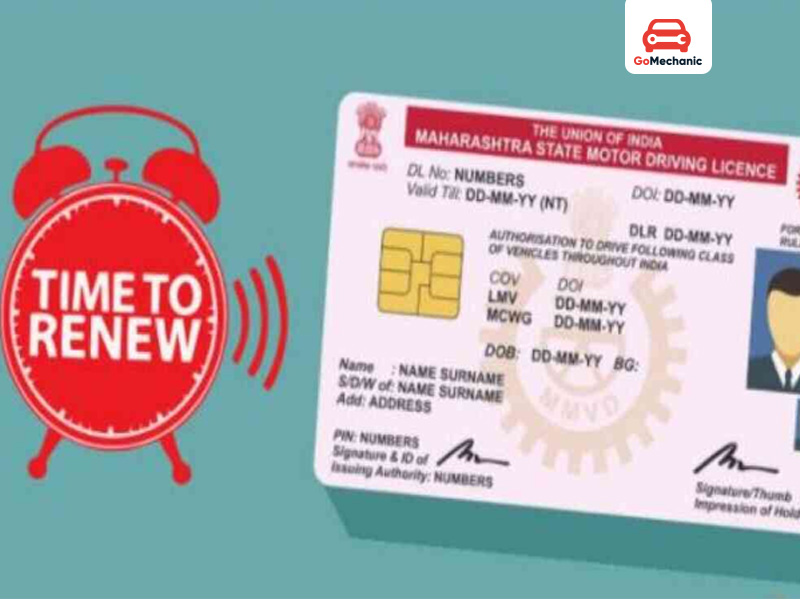
- Validity Period of a Driving Licence in Delhi
The Delhi driving licence is valid for 20 years from the date of issue even up to the age of 40 years of the license holder, whichever be earlier.
Once the driving licence expires, you must renew it.
- Renewal of Driving Licence in Delhi
When your DL expires, it needs to be renewed. As the renewal process is now completed, your old driver’s licence is replaced by a new smart card and has historically been mailed to the same address.
Renewal information for a renewed driver’s license is not directly provided, but readily accessible from the website by providing the renewal application number.
- Processing Time for New Driving Licences
Once the driving test is passed, it will typically take 3 to 4 weeks for the RTO to prepare, issue, and mail the driving licence to the registered address of the applicant.
- Damaged Driving Licence
However, when the driver’s licence is destroyed, mislaid, or stolen, the driver must complete an application form in order to get a replacement driver’s licence.
- No Online Status? Visit the Local RTO
Since the information which is online, may not be available on your driving licence status, it is recommended to visit the local RTO personally in order to get more information on the registered application.
Check This Out – How to Download Your Driving Licence in India
No More Guesswork: How to Stay Updated on Your DL Status

Whether you have requested a “new DL”, copy DL, or DL renewal DL, it is useful to understand the process to assess DL status, which can have a positive impact in terms of time and work. Due to Parivahan Website and State Transport Portals application real-time data is presented to you. By following this blog, you’ll never be in the dark about how to track driving licence status.
Also Read – Why Smart Card Driving Licences Are the Future
FAQs
- How can I check my driving licence application status online?
Visit the official Parivahan website at parivahan.gov. Go to (the) “Online Services” tab and then click (the) “Driving Licence Related Services. Select your state from the provided drop-down menu. Please select from the “Application Status” panel located in the top right corner of the screen. Please enter your “Application Number”, “Date of Birth”, and “Captcha” code below. Click on “Submit. Your application status will be shown on the screen.
2. What’s the delivery period for the issued driving licence?
Normally [your] driving license is issued by the RTO and it is obtained up to 3 weeks after the RC. It will be sent to your mailbox address. Make sure to check your mailbox during this period.
3. Should I just keep checking the status of my application after sending it?
It is recommended to check on occasion the status of your application as rules and regulations can evolve at the RTO. Staying updated ensures you’re aware of any process updates or modifications.
4. Can I drive without a driver’s license, right?
No, when applying for a driver’s licence, a learner’s licence required at the time of application is immediately necessary. Learner’s entitlement is a condition of the full driving licence.
5. Can I renew a learner’s driving licence?
Yes. A renewed learner’s driving licence in place of one that has expired is also available.
6. If the driving test is first attempt failure, is it possible to retake the driving test?
Yes. The test candidate has a second opportunity to pass a driving test within 7 days of a failed or prior attempt.
7. What is the status of my driving licence, if I already have one?
The current status of my driving license is available on the web portal of Parivahan.
8. What is the information to keep ready before checking my DL status online?
To check the driving Licence status on the web you need to have your application ID/licence no./learner’s licence ID. If it is already stored in the checking tab or if it is necessary to do so, then it must be generated from the outside, and it must be also parameterised for the inputting of the application/licence no./Learner’s license no./Driver’s license no.
Related – Types of driving licences in India


