






In today’s digital world the need for a physical driving licence is fast fading. Thanks to technology, driving licence download options make it possible to access your licence at any time on your phone. DigiLocker, mParivahan, and the Parivahan Sewa portal allow you for online issuance of a valid digital copy of your licence in just a few moments. The procedure not only saves time, but it also keeps your important documents safe and easily available when you are traveling or being stopped by traffic police. If a simple method of doing driving licence download in India is what you are looking for, this guide will walk you through the whole process step-by-step with clarity and confidence.
Do Read: How to Apply For an International Driving License in India 2025: The Ultimate Guide
Why are people looking for how to online driving licence download nowadays?
In recent times, individuals have increasingly inquired about how to download driver license online because of the convenience and time-saving aspect it provides. A physical driving licence is not so much of a need anymore in this digitalized world, as one can conveniently pay a visit to it on the mobile. Downloading a driving licence online is a must for extra validation on the coattails of travel or maintaining a backup in the event the original is lost or damaged. Parivahan and DigiLocker are government portals that come to one’s help, and thus the online route is often preferred by most.
The DigiLocker Method – The No-Nonsense, Security-First Choice
If you want convenience, security, and zero excuses when it comes to keeping your ID handy, DigiLocker is the top choice. Endorsed by the government, it’s the one app every Indian driver should install. DigiLocker keeps your documents safe, accessible, and, most importantly, valid in the eyes of the law.
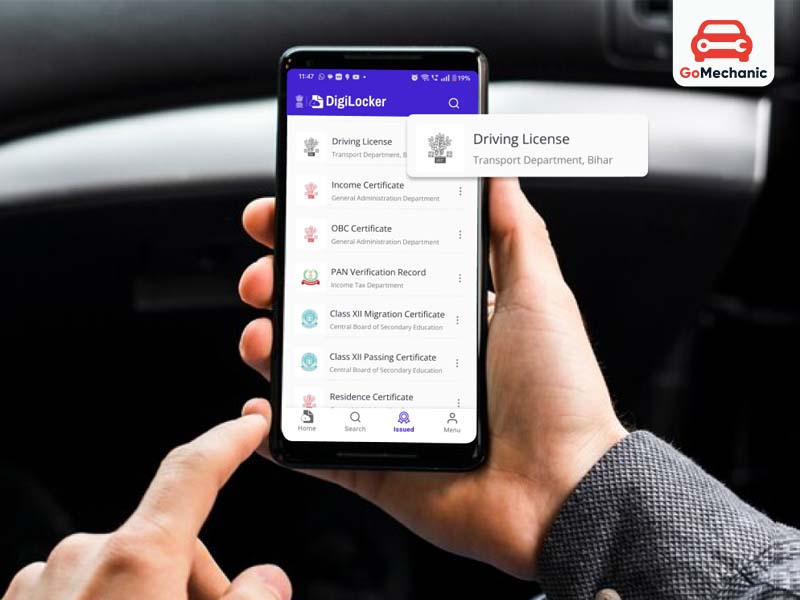
How to Get Your Licence on DigiLocker:
- Install and Register: First, get the app on iOS or Android and link it to your Aadhaar.
- Search and Select: Type “Driving Licence” and choose the option under the Ministry of Road, Transport, and Highways.
- Auto-Fill Details: It auto-fills your name and DOB as per your Aadhaar. Enter your DL number and agree to the consent.
- Get Document and Save: Your licence pops up under “Issued Documents.” Open the PDF, save it, and you’re set.
Insight: DigiLocker is the absolute best for document security. If you care about privacy (and you should), storing your DL here is non-negotiable. It’s endorsed, encrypted, and has the authority to back it up. Don’t settle for keeping a PDF floating around on your phone, unprotected and accessible to anyone who picks it up.
The UMANG Method – For Those Who Want All Their Government Services in One Place
If you’re one of those people who deal with multiple government services regularly – taxes, subsidies, pensions – UMANG is your best friend. It brings everything under one app, so you’re not hopping between platforms.
How to download driving licence in India: UMANG
- Download and Register: Set up UMANG on your mobile.
- Search for Licence: Type “Driving Licence (MoRTH)” in the search bar.
- Input Your DL Number: Enter your DL number, give consent, and retrieve your document.
- Save the PDF: Once it’s in “My Documents,” download it as a PDF and keep it handy.
Insight: Here’s the truth – UMANG is a solid choice, but it can feel cluttered if you only need it for your driving licence. If you’re managing government services left, right, and centre, it’s perfect. But if it’s just for a licence? DigiLocker is simpler and faster.
Related Blog: Driving license types in india: All You Need To Know
Parivahan Driving Licence Download: Steps
Parivahan is great if you’ve just got your licence or have recently renewed it. It’s the official portal for driving licence issuance, so it’s often the first to have updated records.
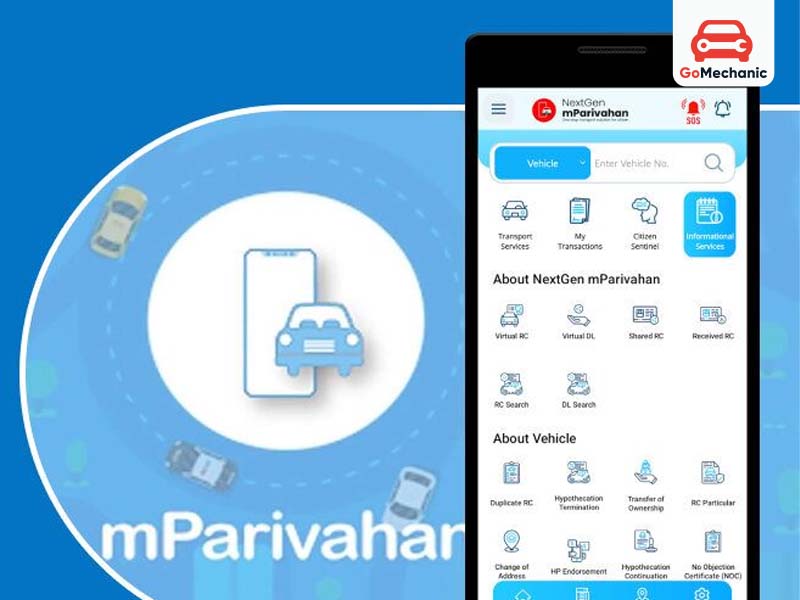
How to download driving licence in India: PARIVAHAN
- Visit the Website: Open Parivahan and go to “Drivers/Learners Licence.”
- Select Your State: Choose your state and go to the “Driving Licence” menu.
- Enter Application Number: Type in your application number and DOB, then submit.
- Save the PDF: Your licence appears on-screen, and you can save it directly.
Insight: This one’s pretty cut and dry – it’s perfect if you’ve got a new licence or are waiting for an update. But don’t expect it to have your decade-old licence on record. If it’s not there, stop wasting time and head over to DigiLocker.
Do Read: Driving Licence Application Status: Step-by-Step Guide to Check it Online
Essential Security Tips for Digital Licences
Now, let’s talk about safety. Just because you’ve got a digital licence doesn’t mean you should take it lightly. Here’s how to keep it safe:
- Stick to DigiLocker or UMANG: Both are encrypted and approved. If your data’s on either of these, you’re in good shape.
- Password-Protect PDFs: If you’ve saved your licence as a PDF, don’t be reckless – use a password.
- Offline Access: Keep an offline version saved in a password-protected folder on your phone, just in case.
When Can You Use a Digital Licence?
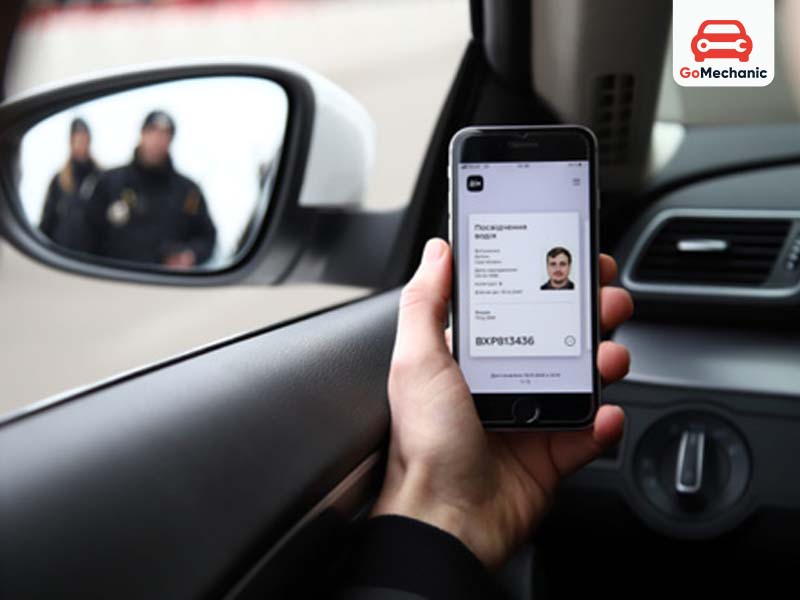
The digital DL is legal and accepted across India, full stop. Here’s when and where it matters:
- Traffic checks
- Airport security checks
- Hotel check-ins
- Government applications, like for a passport
Final Takeaway: There’s no excuse for not having a digital licence, and it can be a lifesaver if you’re ever asked to show ID. Stick with DigiLocker if you want ease, UMANG if you need variety, and Parivahan if it’s a new licence. Get it done, keep it safe, and drive worry-free.
Conclusion
A driving licence download online has become an integral part of professionalism in document management. Licence holders are encouraged to install official government applications such as DigiLocker and mParivahan onto their phones to keep licences safe and store them digitally anytime. The digital licence is legal throughout India and accepted by all the authorities. Following these basic steps saves time and stress-and keeps your documents safe. Don’t wait—embrace the comfort of digital licences and download yours for stress-free driving!
FAQs
1. How to get DL smart card online?
You cannot directly download the physical smart card online, but you can certainly apply for one online from your local RTO. Once issued for your smart card Driving License, the physical copy is then dispatched to your address. Your smart card DL is still technically digitally accessible through DigiLocker or mParivahan and viewed as equally valid in the vast majority of situations.
2. How to download driving license PDF?
Download DL in PDF format from both Parivahan website or DigiLocker. On the Parivahan site, select your state, and under Driving License-related services, enter your application or DL number so that your license can be retrieved and downloaded. In DigiLocker, just log in with your mobile number and get DL from their database, then download it.
3. How can I download a DL certificate online?
To download your Driving License certificate online, go to sarathi.parivahan.gov.in, select your state, and the DL service applicable. It will ask for your application or DL number and date of birth, and, after verification, your DL certificate will be available for download.
4. Can I download a Virtual DL?
Yes, sure! Virtual Driving Licenses could be downloaded onto phones via DigiLocker or mParivahan apps and stored there. These digitally issued licenses are legally valid and come in handy in daily life, especially while traveling without carrying physical DL.
5. Can I download my Indian driving license online?
Yes, you can download your Indian driving license online through government platforms like the Parivahan portal or DigiLocker. After logging in with your details, you can access a digital copy of your license. This makes it easier to carry your license without needing the physical card.
6. Can I download a PDF of my driving licence?
Driving licence PDF download is available through multiple state transport services according to your request. The system requires you to provide either your driving licence number or registered mobile number together with your birth date for access. The PDF document enables users to either save it on their mobile device or create a physical copy whenever necessary.
7. How to get DL extract PDF?
Visit the Parivahan Sewa portal, appear for a “DL Extract” service under the driving license services, and download the PDF after approval.
8. How to download virtual DL from mParivahan app?
Install the mParivahan app, login, and search the DL by number, and save it in your virtual document wallet in the app.This is the most simplest way to download virtual DL.
9. Is digital DL valid in India?
Yes, a digital driving licence stored in apps like DigiLocker or mParivahan is legally valid in India. Digital documents can be verified by traffic police during their inspection process. The digital copy must be obtained through official government platforms which serve as the only source for such documents.
10. Where can I view my license online?
Visit sarathi.parivahan.gov.in, select your state, and click on “Driving License Search” to enter your details.
11. What is a copy of a DL extract?
A DL extract is an official copy of your driving license particulars and is also often required for foreign license verifications or for international permits, such as an International Driving Permit.
12. How many days will my DL take to print?
After approval, a driving license typically takes 7-10 working days to print and get delivered.
13. How to get a DL smart card?
To receive a smart card format of your driving license, you must apply for the license through the Parivahan portal or the RTO, and once approved, you will receive the card version by default.
14. How to download smart DL online?
You can download a smart DL by visiting the Parivahan Sewa website and selecting the driving licence services option. The system requires you to enter your licence number together with other necessary information after which it will display your licence details. The digital version of your content can be downloaded or accessed through viewing.
15. How do I download my driving licence from UMANG App?
Open the UMANG app, search for the service to find “Driving License,” select it and log-in using your credentials, and download your driving licence, it is as easy as that.


