






Wires are history. Bluetooth is here. No more tangled AUX cables. No more struggling with messy connections. Just seamless music, hands-free calls, and voice control—all without lifting a finger.
But not all Bluetooth setups work the same way. Some connect instantly. Others? Frustrating.Frustrated with Bluetooth? Tried everything? Still won’t connect? The endless tapping. The failed connections. The mystery of why it worked yesterday but won’t today.
Fix it. Step by step. How to connect phone to car bluetooth. How to troubleshoot. And if your car doesn’t have Bluetooth? How to upgrade it, hassle-free.
Types of Bluetooth Connectivity in Cars
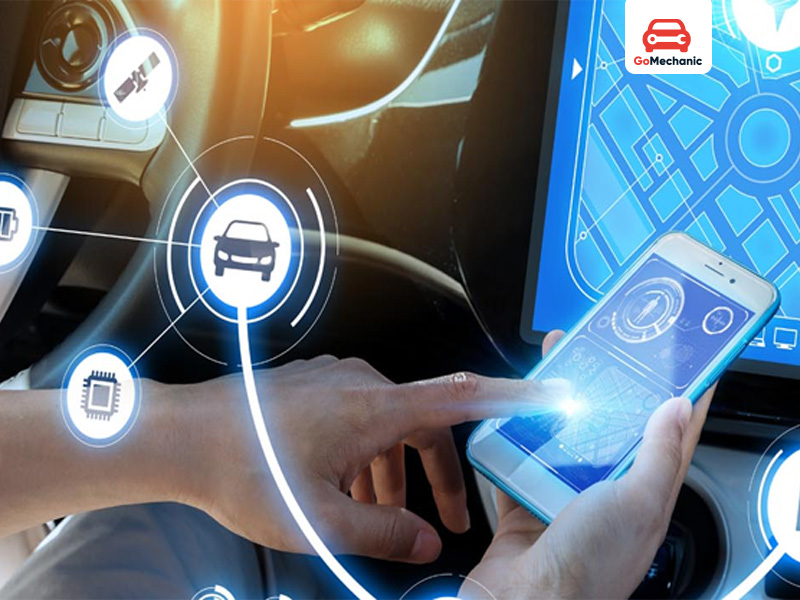
Before pairing, know what you’re dealing with.
1. Factory-Installed Bluetooth
Most modern cars come with built-in Bluetooth. Calls, music, even diagnostics—seamlessly integrated into the infotainment system.
2. Bluetooth Audio Receivers
Got an older car? No worries. You can experience music and hands-free calls just by plugging a bluetooth receiver into the AUX port.
3. Bluetooth FM Transmitters
No AUX? No worries. An FM transmitter connects to your phone with Bluetooth and plays audio through an empty FM station on your car’s radio.
4. Bluetooth Car Kits
No infotainment? No problem. Bluetooth car kits do it all. Hands-free calls. Seamless music streaming. Even voice assistants like Siri and Google Assistant—all at your command. No screen? No factory Bluetooth? Doesn’t matter.
Helpful read: Android Infotainment Systems You Can Buy Under ₹9999
How to connect phone to car bluetooth
Pairing is simple, but different for each car. Here’s the universal method:
Step 1: Enable Bluetooth on Your Phone
- Open Settings on your phone.
- Tap Bluetooth and turn it ON.
Step 2: Put the Car’s Bluetooth in Pairing Mode
- Go to Infotainment Menu → Bluetooth Settings.
- Select “Add Device” or “Pair New Device”.
- Some vehicles require pressing and holding a Bluetooth button to activate pairing.
Step 3: Connect Your Phone to the Car
- On your phone, look for your car’s Bluetooth under Available Devices.
- Tap to start pairing.
Step 4: Confirm the Connection
- A PIN may appear on both screens. Ensure they match, then tap Pair.
- Some cars ask for access to contacts, call logs, and messages. Grant permission if needed.
Step 5: Verify the Connection
- Your phone should now show Connected.
- Play music. Make a call. If everything works, you’re set.
Done. Next time you start the car, it should connect automatically.
Common Bluetooth Pairing Issues (And Fixes)
Even the best systems glitch sometimes. Here’s how to troubleshoot and How to connect phone to car bluetooth.
1. Bluetooth Not Showing in Available Devices
- Fix: Restart both your phone and infotainment system. Then try again.
2. Connection Drops Frequently
- Fix: Remove the device from Bluetooth settings and re-pair it. If the issue persists, clear old pairings.
3. Music Plays, But No Phone Calls
- Fix: In Bluetooth settings, tap your car’s connection and enable Call Audio.
4. Poor Audio Quality or Delay
- Fix: Ensure no other Bluetooth devices interfere. If using a receiver, check the AUX cable connection.
5. Bluetooth Won’t Pair at All
- Fix: Reset the car’s Bluetooth settings (found under Factory Reset in the infotainment system).
Best Bluetooth Devices for Cars (2025 Picks)
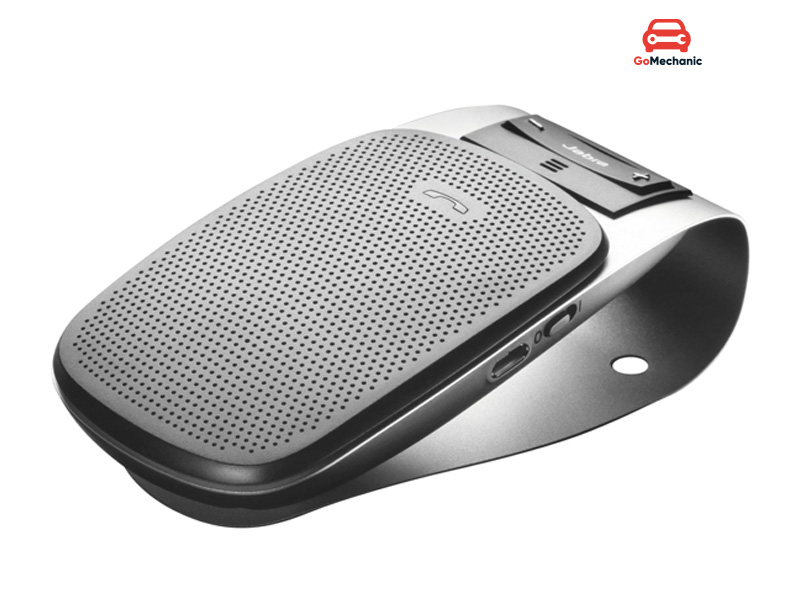
If your car doesn’t have built-in Bluetooth, these devices can fix that instantly.
1. Anker Roav Bluetooth FM Transmitter
- Works via FM radio.
- Dual USB charging.
- Noise-canceling mic for calls.
2. Jabra Drive Bluetooth Car Speaker
- Attached to the sun visor.
- Crisp voice clarity for calls.
- Auto-off for battery saving.
3. Mpow BH129 Bluetooth Receiver
- Plugs into AUX input.
- 15-hour battery life.
- Great for cars without Bluetooth.
4. Avantree CK11 Car Bluetooth Kit
- Built-in speaker.
- Supports Siri & Google Assistant.
- Motion sensor for auto ON/OFF.
These gadgets give old cars a modern Bluetooth upgrade—no expensive modifications required.
Know more about: The Evolution of Car Infotainment system through the ages!
Beyond Basic Bluetooth: How Modern Cars Are Redefining Connectivity
It’s not just Bluetooth anymore. It’s smarter. Faster. Seamless. Cars today don’t just play music or take calls—they integrate, adapt, and respond. No more fumbling with cables. No more manual controls. Just instant, wireless connectivity that turns your car into an extension of your phone.
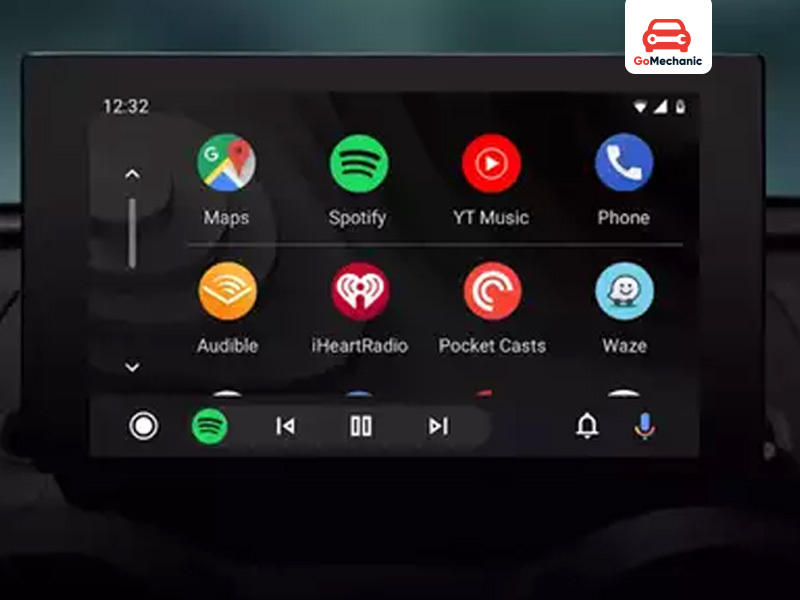
What’s changing and why it matters.
1. Wireless Apple CarPlay & Android Auto – No Cables, No Hassle
Plugging in is old news. Newer cars let you connect your phone wirelessly.No more cables. No more hassle. Start the engine, and your phone syncs instantly. Your interface appears on the infotainment screen—calls, messages, music, maps—everything connected, everything ready.
Why does it matter? Because now, your car isn’t just playing music. It’s reading your messages aloud. It’s letting you reply without taking your hands off the wheel. It’s getting you to your destination without ever needing to touch your phone.
2. Voice-Activated Commands – Your Car, Now Listening
“Hey Siri, play my driving playlist.”
“Okay Google, call Mom.”
“Alexa, where’s the nearest petrol pump?”
Modern cars are built to listen. And they respond. Hands-free. No scrolling. No tapping. No distractions. Need to change a song? Send a message? Adjust navigation? Just say it. Your car takes care of the rest. This isn’t just convenience anymore. It’s a necessity.
3. Multiple Device Pairing – Two Phones, One Car, No Problem
One phone for calls. Another for music. Or maybe two drivers sharing the same car. Older Bluetooth systems made you disconnect one device before connecting another. Not anymore.
Newer cars let you pair multiple devices at once. One person takes the calls. Another controls the playlist.Seamless switching. No interruptions. No manual reconnecting.
4. OTA (Over-the-Air) Updates – Your Car Gets Smarter Over Time
Software updates aren’t just for phones anymore. Now, even your car gets them. Over the air. Wirelessly. No need to visit a dealership. No need for manual downloads.
What does that mean? Bug fixes, performance improvements, new features—all sent directly to your car’s system. Your Bluetooth connection gets better. Your voice commands get sharper. Thus, your system keeps evolving.
Bluetooth is No Longer an Option—It’s a Necessity
Cars are changing. Connectivity matters. Whether it’s hands-free calls, music on demand, or navigation, Bluetooth makes every drive simpler. Some cars come ready. Others need an upgrade. Either way, the fix is easy. Know your setup. Pick the right device. Troubleshoot when needed. There’s no going back once you go wireless.
Also read: Car Speaker: Everything You Need To Know


