






Planning to register a new vehicle in Goa? Or maybe you’re shifting here and need to transfer ownership? RTOs can be confusing and often buried in government jargon. But don’t worry, this blog breaks down everything about the RTO Goa in a clean and simple format, just how you need it. In this blog, we will discuss almost all the problems with their respective solutions that a person could face during the online or offline registration of their vehicle in RTO Goa. Also, we will cover topics including a list of Goa RTO codes, additional information about Goa RTO, and how to get a Driving License in Goa, what RTO is, the key services offered by RTO Goa, and much more information one should know about RTO Goa.
What is RTO?
RTO (Regional Transport Office) is a government body that comes under the administration of the Ministry of Road Transport and Highways and is responsible for regulating transport services and vehicles in a region.
Every state in India has its own RTOs to manage:
- Vehicle registration
- Driver’s license issuance
- Road tax collection
- Fitness certificates
- And every legal paper or procedure you need to drive or ride on Indian roads
Also read: RTO Full Form: The Essential Guide to India’s Regional Transport Office
RTO Goa
Goa, even after being a comparatively smaller state, has managed a pretty well-structured RTO system by the Directorate of Transport, Government of Goa. Whether buying a new car in Panaji or transferring a bike from other states to inside Goa’s boundary, the regional local RTO is where all the paperwork happens.
Goa, like every other state, follows the Motor Vehicles Act, 1988, implements all standard traffic and vehicle rules laid down by the Centre along with a few of its local tweaks, which are needed for the region.
List of Goa RTO Codes and Locations in Goa
Goa has a few primary RTO zones divided by district:
- GA-01 – Panaji (North Goa)
- GA-02 – Margao (South Goa)
- GA-03 – Mapusa
- GA-04 – Bicholim
- GA-05 – Ponda
- GA-06 – Vasco da Gama (Mormugao)
- GA-07 – Panaji (Tiswadi taluka)
- GA-08 – Margao (Salcette taluka)
- GA-09 – Quepem
- GA-10 – Canacona
You can find the complete list and contact details of each RTO office on the official RTO Goa transport department website.
Key Services Offered by RTO Goa
Here’s what the RTO Goa can help you with:
- New vehicle registration
- Issuance & renewal of Driving Licenses
- Temporary/permanent Registration Certificates (RC)
- Vehicle transfer from other states
- Ownership transfer within Goa
- Fitness certificates for commercial vehicles
- NOC (No Objection Certificate)
- Road tax collection
- Pollution Under Control (PUC) certificates
- Duplicate documents if originals are lost
- Converting vehicle class (private to commercial, etc.)
Also read: How to Apply for a Vehicle Permit in India: Online & Offline Process Explained
How to Register a New Vehicle in Goa
If you’re buying a new vehicle (car/bike), your dealer usually helps register it for you. But if you’re doing it yourself, here’s the drill:
- Visit your local RTO (Panaji or Margao).
- Filling of Form 20 (application for vehicle registration).
- Submission of the required documents (bill, insurance, address proof, etc.).
- Pay road tax and registration fees.
- Vehicle inspection was done by the RTO officer.
- Final allotment of registration number (GA-01 or GA-02).
How to Check the Goa RTO Online Application
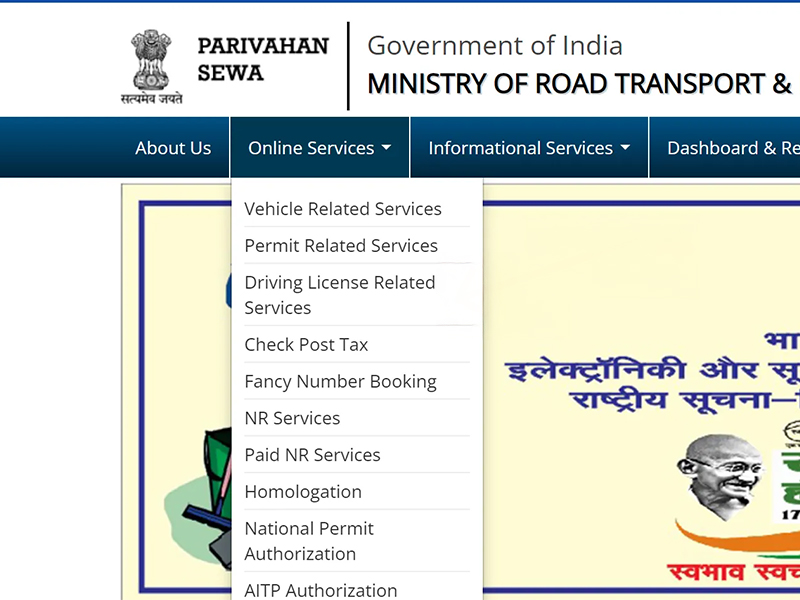
Once applied for the registration or the licence, which has been fully digitalised, you can also check the status of your application by following these simple steps:
Use the Parivahan Portal:
- Visit to: https://parivahan.gov.in/en
- Choose: Online Services, Vehicle Related Services
- Select “Goa” as your state and then enter your vehicle number or application number.
For license tracking:
- Visit sarathi.parivahan.gov.in
- Click on “Application Status” to enter your details.
Documents Required
What documents should one carry with oneself? Whether it’s a license, RC transfer, or NOC, documents are everything. Here’s a general list you’ll need for most services:
- Form 20, 21, or relevant application forms
- Aadhaar card or address proof
- Insurance papers
- Pollution certificate
- PAN card or Form 60
- Passport-size photographs
- Road tax receipt
- Sale certificate (for new vehicles)
- Previous RC (for transfers or duplicates)
Must read: Vehicle Transfer Made Easy: Download Form 29 & 30 for RTO Process
Transfer of Vehicle: Pre-owned Vehicle in Goa
When buying a second-hand vehicle or moving your vehicle from another state to Goa, you’ll need to transfer ownership.
- Fill Form 29 & 30 (transfer of ownership).
- Attach original RC, insurance copy, PUC, and NOC (if from another state).
- Pay transfer fee (₹300-₹500 depending on vehicle type).
- Submit all documents to the concerned RTO.
- After verification, a new RC is issued in your name.
If the vehicle is under a loan (hypothecated), Form 35 and NOC from the bank are also required.
Renewal of RC in Goa
Every private vehicle’s RC is valid for 15 years. After which, it could be renewed every 5 years.
For RC renewal:
- Submission of Form 25.
- Provide original RC, insurance, PUC, and address proof.
- Inspection of vehicles for roadworthiness.
- Pay renewal fee (usually ₹600–₹1,000).
- New RC is issued post approval.
Pro tip: Start the renewal process a month before your RC expires to avoid penalties.
Also read: E-Challan Goa: Your Guide to Traffic Fine Payments
RTO Fees in Goa (Approximate)
| Service | Fee (₹) |
| New Registration (2W) | 300 |
| Registration (3W/Quadricycle) | 600 |
| Private Car/ LCV | 600 |
| Medium Goods/ Passenger Vehicles | 1000 |
| Heavy Goods/ Passenger Vehicles | 1500 |
| Imported Bike | 2500 |
| Imported Car | 5000 |
| RC Renewal | 500-5000 (based on vehicle type) |
| Duplicate RC/ Transfer/ Alter | Half of the registration fee |
| Hypothecation Approval | 500-3000 (varies by vehicle type) |
| Temporary RC | 100-300(as applicable) |
How to Get a Driving License in Goa
1. Learner’s License (LL):
- Apply online on sarathi.parivahan.gov.in
- Submit Form 1 and Form 2
- Upload documents and schedule the LL test
- Appear for the online test (basic traffic signs & rules)
- On passing, LL is valid for 6 months
2. Permanent Driving License:
- Can apply after 30 days of getting the LL
- Fill Form 4
- Choose a slot for the driving test at the RTO
- Bring your vehicle and original documents
- Pass test → get DL in a week or so
A person under the age of18, can still apply for a license, but it is limited only to gearless two-wheelers (under 50cc).
You can also read: How to Apply, Renew & Manage Your Driving Licence in Goa: A Complete Guide
How to Apply for a Duplicate Certificate (RC/DL)
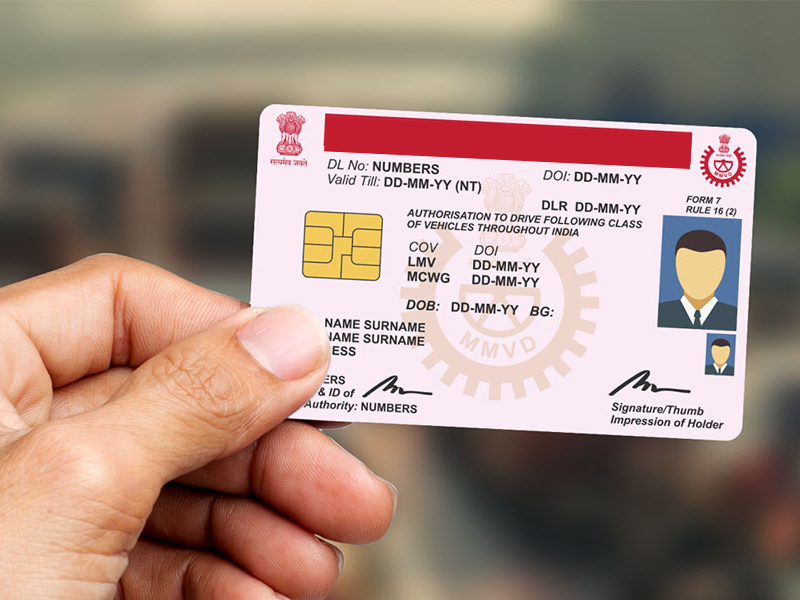
Steps to get a duplicate RC or Licence if you have lost one
- File an FIR and get a copy
- Fill Form 26 for a duplicate RC / Form LLD for a duplicate DL
- Attach the FIR copy, address proof, and photographs
- Pay the fee and submit to the RTO
- You’ll receive a new document after verification
Tip: Keep scanned copies of all original papers in your email or cloud for quick access.
Driving License Application Process in Short
- Go to sarathi.parivahan.gov.in
- Select Goa as the state
- Fill the form (LL first)
- Upload documents
- Book an LL slot and take the test
- After 30+ days, apply for a DL
- Book a driving test
- Get the license post-test
Conclusion
Dealing with RTOs used to be a nightmare cause of long lines, endless forms, and tons of confusion. But now, with online platforms like Parivahan and Sarathi, the process has become way more streamlined. Whether it’s registering a scooter, checking your RC status, or getting a driver’s license in Goa, most of it can be done online or with one quick visit. Still, if you’re stuck, do check with the local RTO Goa; the staff is usually helpful, and you’ll be sorted faster than you think. Also in this blog, we have discussed almost all the problems with their respective solutions that a person could face during the online or offline registration of their vehicle in RTO Goa.
FAQs
- What are the documents required for vehicle registration in Goa?
The documents required for vehicle registration in Goa include Form 20, Insurance copy, Pollution certificate, Address proof, Adhaar Card, Identity proof, and Passport size Photographs.
- How to apply for a driving license in Goa?
To apply for a driving license in Goa, you need to apply online on the website sarathi.parivahan.gov.in, and after that, you can fill out the application form, upload documents, book a slot, pay the fees, and appear for the driving test at your nearest Goa RTO.
- What is the lifetime road tax for vehicles in Goa?
Depending on the vehicle type and category, for private vehicles lifetime road tax in Goa is generally 6% to 10% of the vehicle’s cost.
- How can I check and pay an e-challan in Goa?
You can check on the CarInfo app or visit the website echallan.parivahan.gov.in and enter your vehicle number to check if there are any challans pending on your vehicle, and you can pay the challan there only.


